Sharing
The rail is local, and the person who most needs to see it often has no repo. The share control in the rail's header fixes that: pick the whole rail as you see it, or what is on stage (one direction, or the pair being compared), and start sharing. Leglas opens a second listener on your machine, points a tunnel at it and copies the link once it answers.
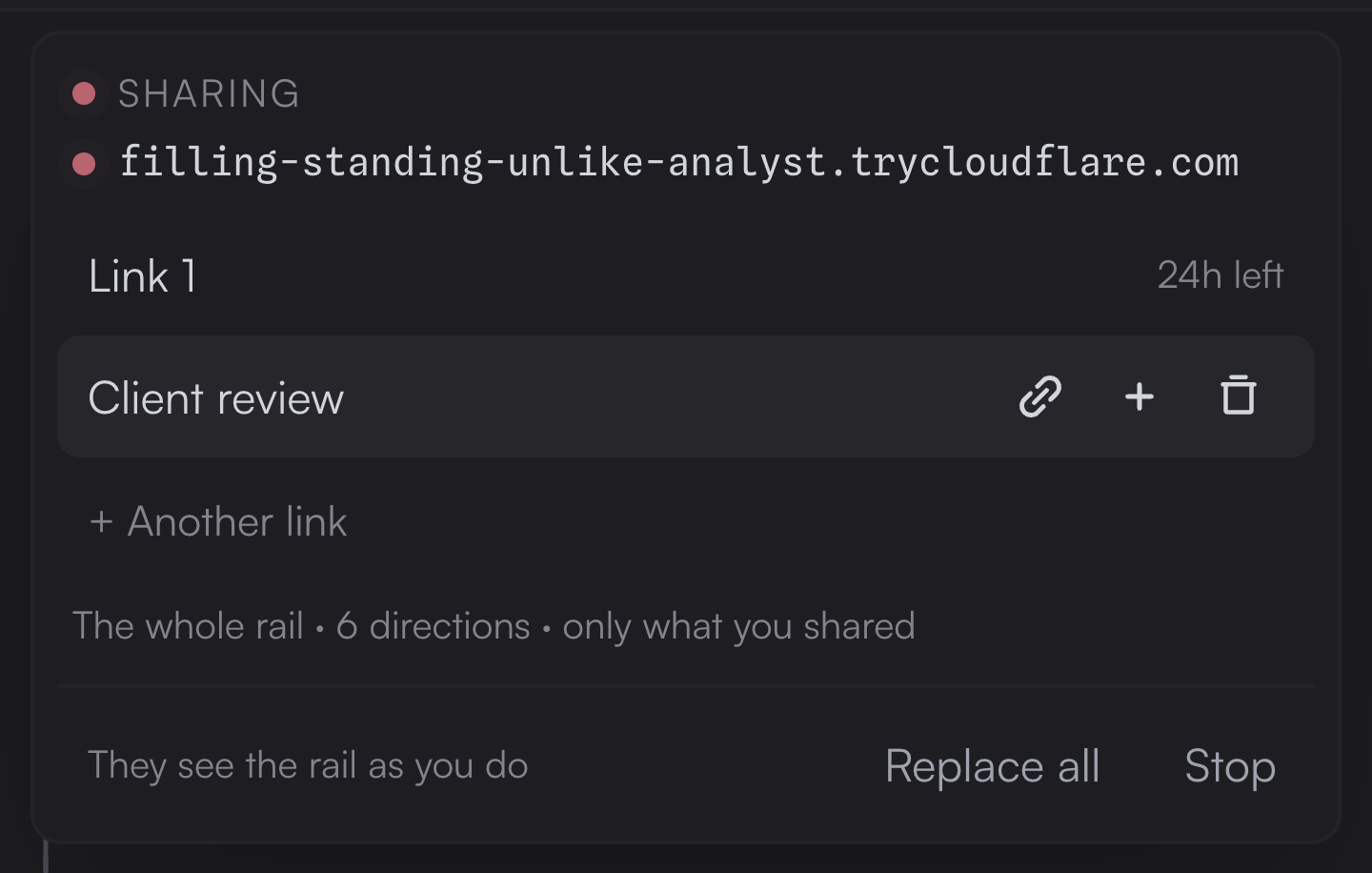
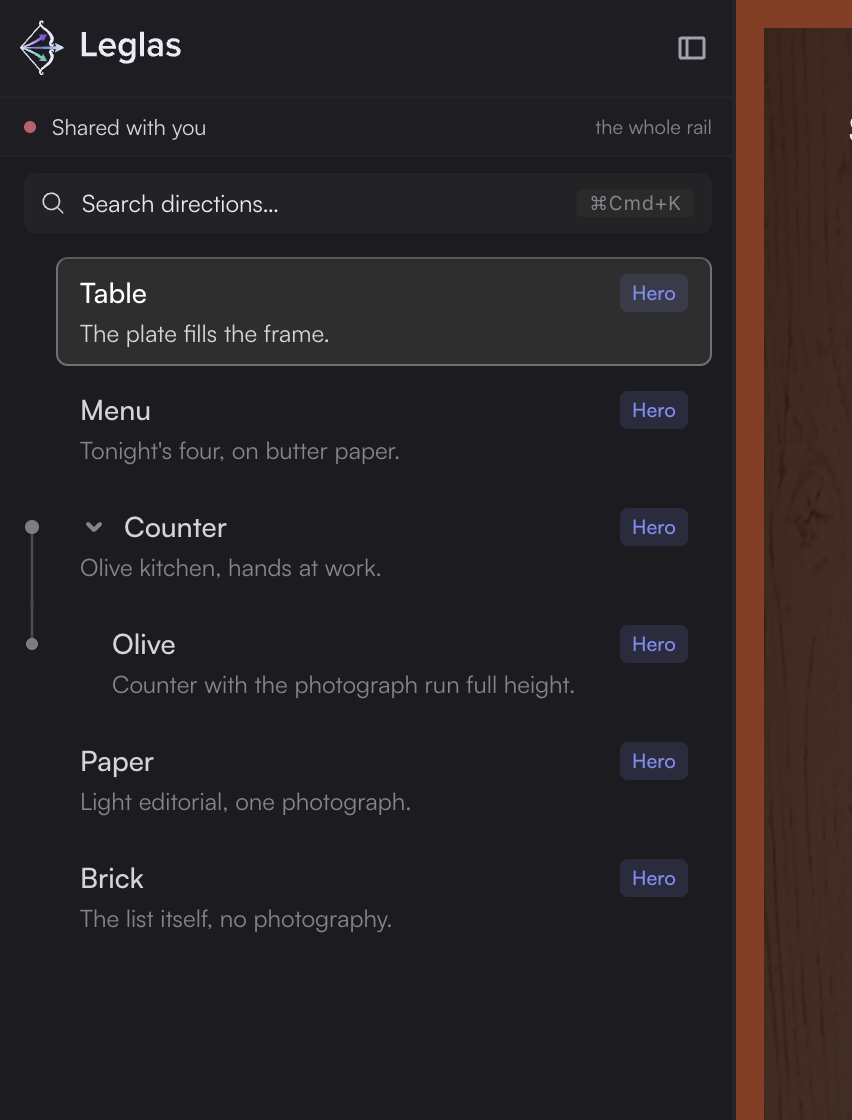
Sharing, and what the person on the other end gets.
Whoever opens the link gets the real app, running, with your order, your names, your folded families and your viewport. They can flip, compare, search and change the width. They cannot change anything: the share listener refuses every write, whoever the caller is, and answers every path with 403 without the cookie the link sets, so your dev server never faces the internet bare. Viewers do not get hot reload either, since an app's live-reload socket is a way in; they refresh to see a change.
How far a viewer can go
A viewer can read what your dev server serves, and you choose how much:
- Anywhere in the app is the whole dev server over GET, source included, since Leglas proxies it faithfully. It suits a demo.
- Only what you shared serves the pages you shared and the files they load, and refuses the rest before the dev server hears of it, from a console or curl as well as a browser. The list is read off what your own directions loaded while you looked at them; anything it did not predict shows up in the panel with one click to let that path or its folder through. A viewer still sees everything your shared pages load.
Either way Leglas refuses the routes a dev server mounts to act on your machine, Vite's editor launcher among them, hidden files like .env however the path is spelled and a service worker that would outlive the share.
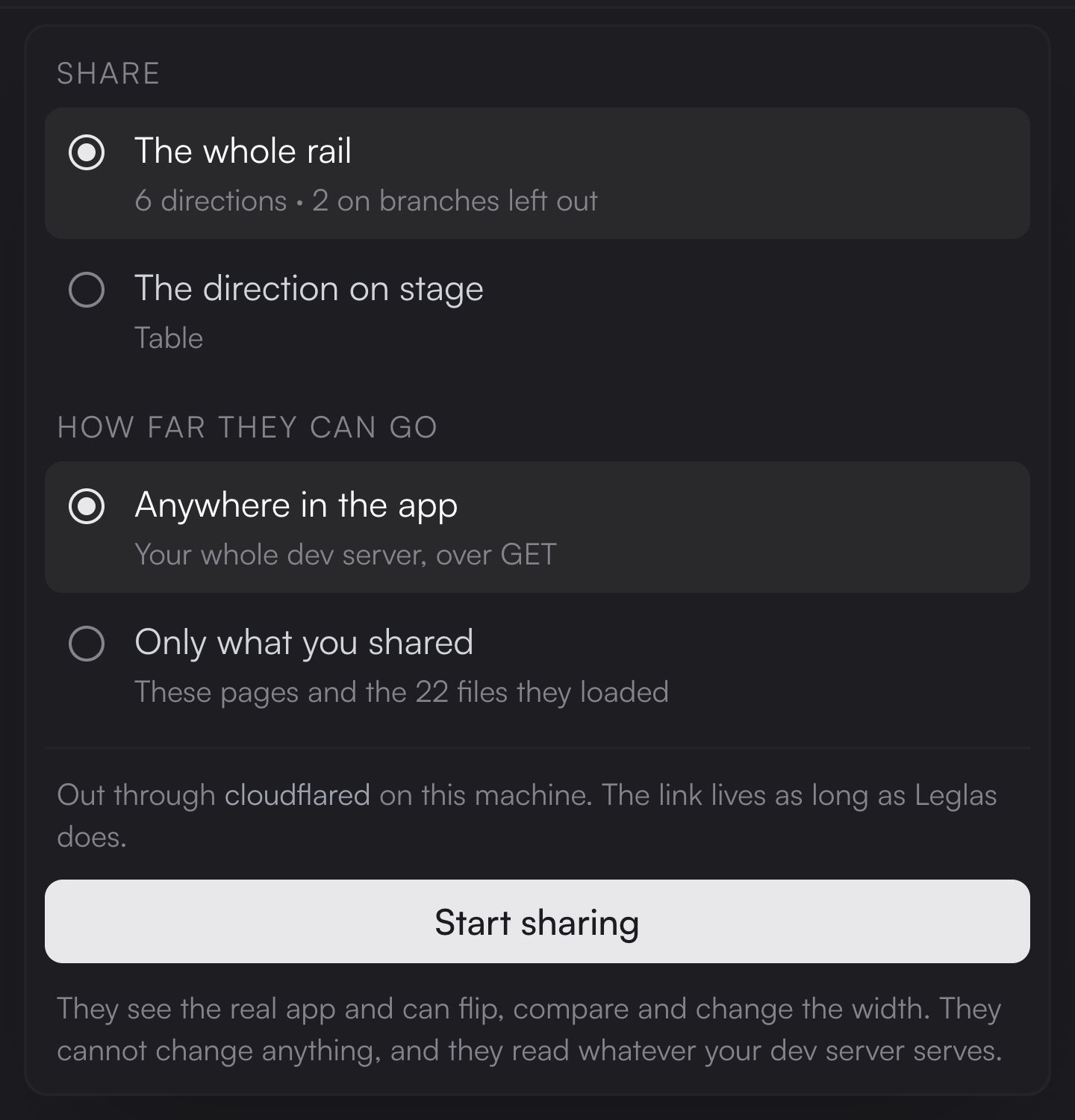
Choosing what to share, and how far a viewer goes.
Links
A share hands out links rather than a link. Name one for each person, up to sixteen; each lasts a day, extends by another with one click and turns off on its own without touching the others. The panel shows which links are answering and how many sessions are on each. When your rail has moved since you shared, it offers to push what you see now; stop the share from the same place, and it stops with Leglas either way.
From a terminal or an agent
npx leglas share does from a terminal what the panel does: it shares the whole rail, or one direction when you name it, or two side by side when you name two, the second on the right. It waits for the tunnel and prints the link and when it stops working. Run it again to see the links of the share that is running, and npx leglas share --stop ends it. --reach listed and --tunnel choose what the panel's options choose. --revoke ends one link, named by its address or by the id --json prints, and leaves the others; --rotate ends every link and starts one new through a new tunnel, for a link that got out and you can't say which.
A terminal cannot see your browser, so the rail it shares is the project's: every direction in config order, under the names you gave them in the interface, with nothing hidden or folded. For the same reason, "only what you shared" starts with an empty list from there. Nothing the pages load is predicted, so a viewer is refused their files until you let them through in the panel, which is why sharing the whole app is the default.
For an agent host that cannot run a shell, the MCP server has the same operations as its share tool.
The tunnel
The tunnel is borrowed, not shipped. Leglas looks for cloudflared or ngrok on your machine and runs whichever it finds; with neither, the link only works on this machine and the panel says so. Branch directions run on their own port and are not part of a share.